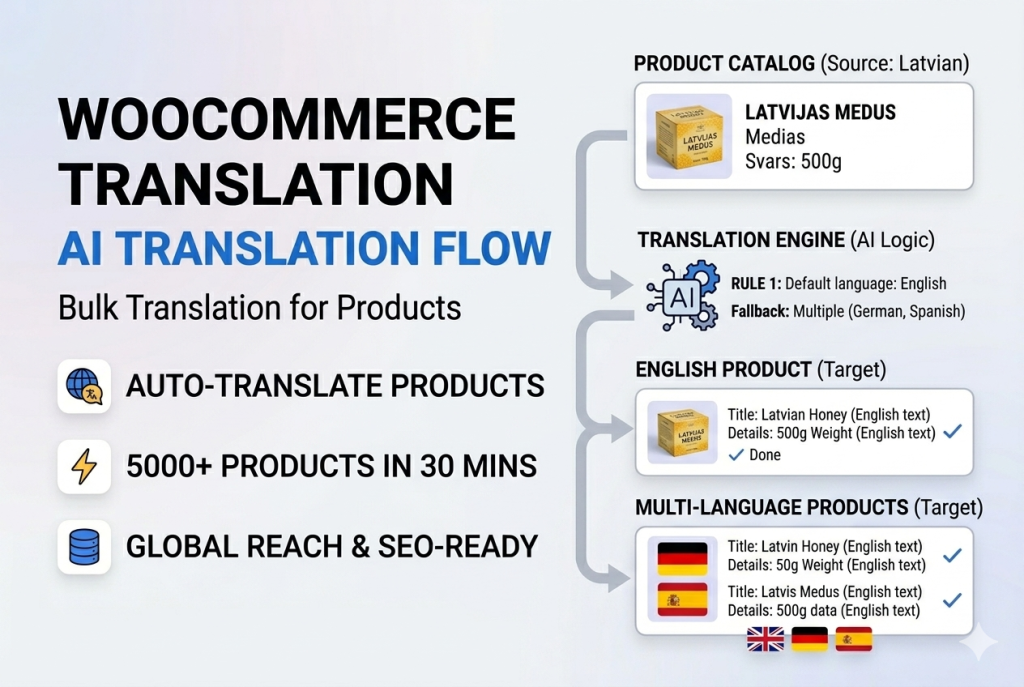
The Solution: AI-Powered Import Translation
What if your WooCommerce products could be automatically translated during import—before they even hit your database?
With Bootflow Product Importer PRO, you can:
✅ Translate any field (name, description, attributes) from any language
✅ Test AI transformations with live preview
✅ Use context-aware AI (knows price, category, brand)
✅ Chain AI with PHP formulas for advanced control
✅ Choose from 5 AI providers (OpenAI, Gemini, Claude, Grok, Copilot)
Best part: It’s as easy as writing a simple instruction.
Step 2: Map Your Fields (5 minutes)
1. Upload your XML/CSV file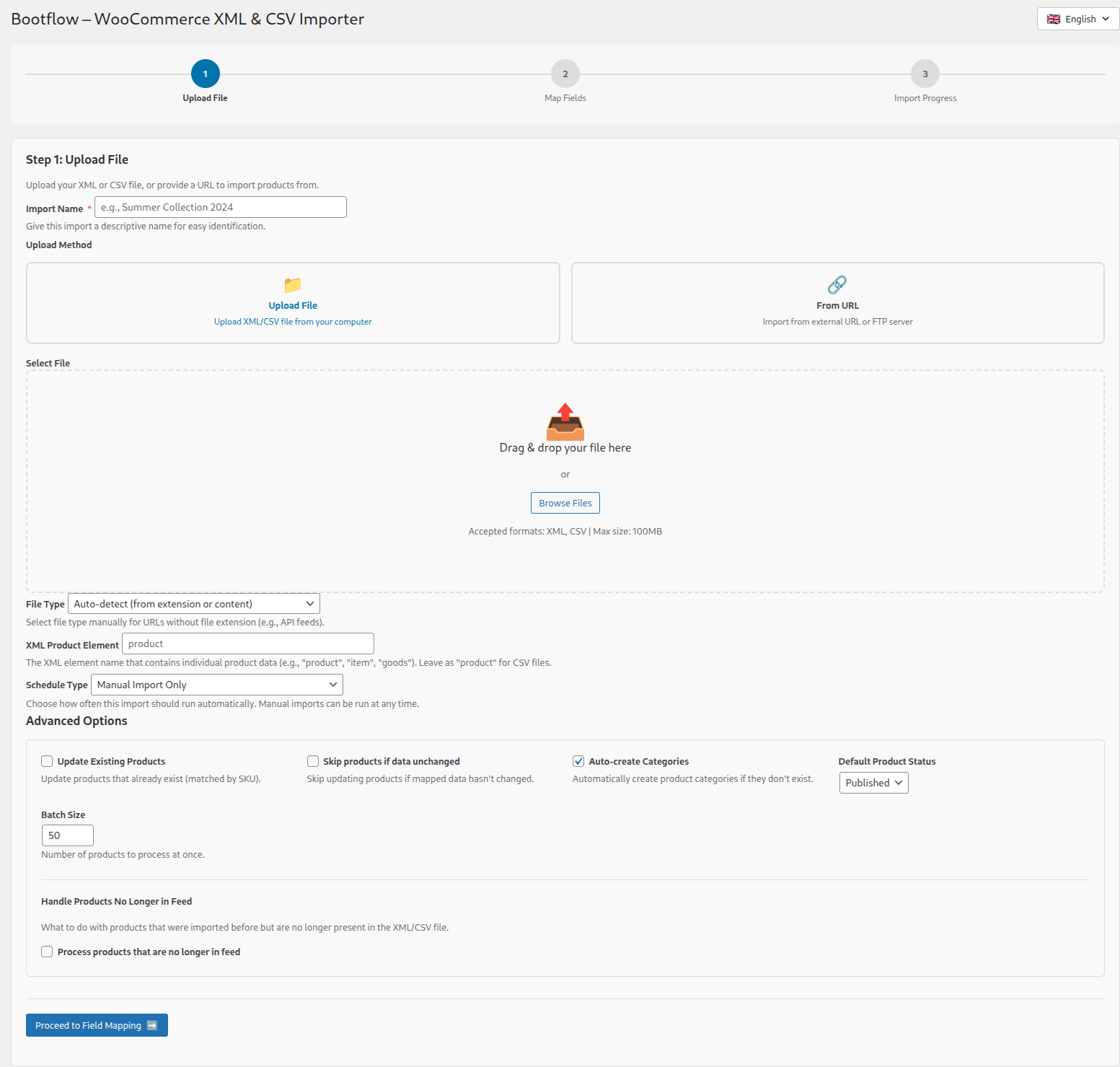
2. Map fields like normal
3. For Product Name, select “AI Processing”
4. Enter your prompt:
Translate to English and make SEO-friendly, max 70 characters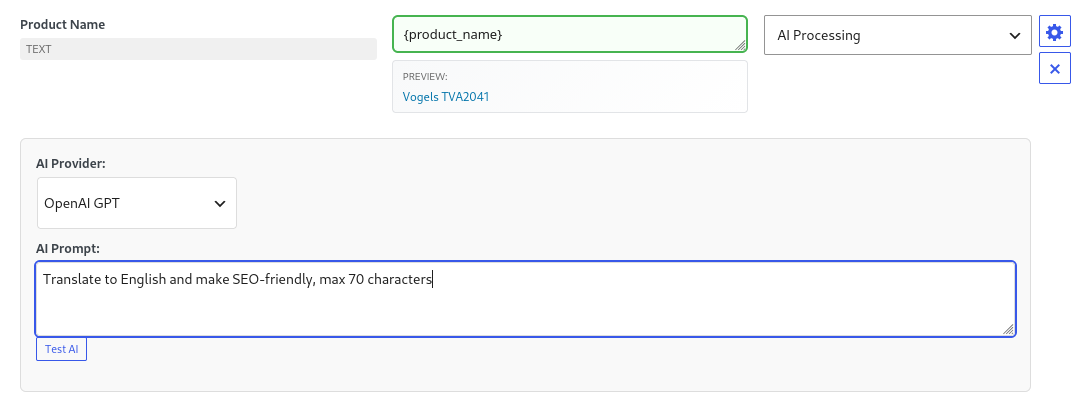
5. Click “Test AI” to preview
Before: “Vogels TVA2041”
After: “Vogels TVA2041 TV Bracket – Affordable Mount at €4.80”
Perfect! Save and continue.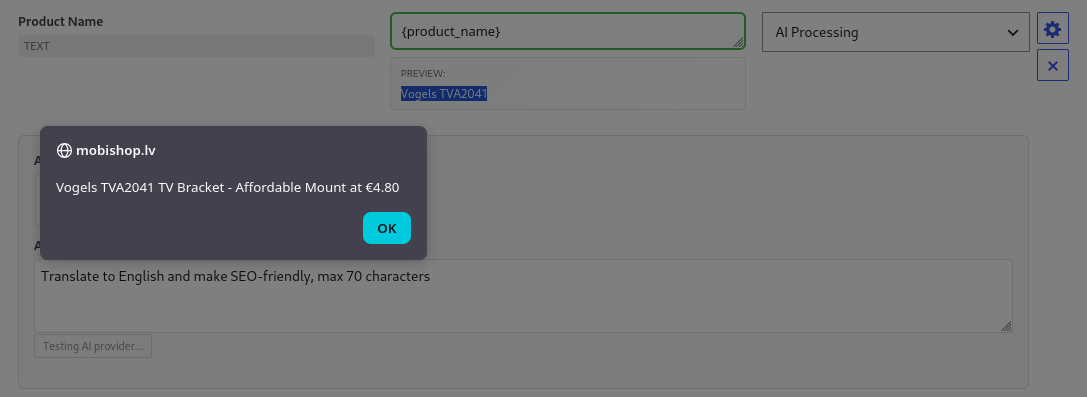
Why Bootflow AI Beats Google Translate
Google Translate:
- Sees text in isolation
- Generic, robotic translation
- No product context
Bootflow AI:
- Knows full product details
- Product name (already processed)
- Price (e.g., €899)
- Category (e.g., “Premium Smartphones”)
- Brand (e.g., “Samsung”)
- EAN/GTIN codes
Result: Context-aware translations that sound professional, not robotic.
Example:
Product: Samsung Galaxy S24 Ultra, €899, Premium Smartphones
Description to translate: “High-quality smartphone with advanced camera”
Google Translate: “Smartphone de alta calidad con cámara avanzada”
Bootflow AI: “Flagship smartphone with professional-grade camera system—perfect for content creators and photography enthusiasts”
Why better? AI knows it’s a €899 premium phone, so it uses appropriate vocabulary (“flagship,” “professional-grade”) and targets the right audience.
Time & Cost Savings Calculator
⏱️ Old Way (Manual Translation):
- Translate 5,000 product names: 83 hours
- Translate descriptions: 250 hours
- Fix formatting: 42 hours
→ TOTAL: 375 hours ($18,750 freelancer cost)
Bootflow PRO Approach
✅ Bootflow AI Way:
- Setup: 5 min
- Map fields: 10 min
- Test AI: 5 min
- Run import: 25 min
→ TOTAL: 45 minutes ($17.50 API cost)
💰 YOU SAVE: 374 hours + $18,732
Common Questions
Q: Do I need coding skills?
A: No. AI prompts are ANY language. PHP formulas are optional.
Q: What if AI makes a mistake?
A: Test every prompt with live preview before importing. Adjust until perfect.
Q: Does it work with variable products?
A: Yes. AI works on simple products, variable products, variations, attributes, and custom fields.
Want advanced techniques? Check out our Complete Guide to AI Product Translation →
Questions? Contact support
Try it live: Demo with real data
Related Guides & Tutorials
- How to Automatically Map Product Categories During WooCommerce Import (With Hierarchy Preservation)
- How to Automatically Calculate WooCommerce Product Prices During Import (Markup, VAT, Rounding)
- How to Sync WooCommerce Stock Levels from Supplier Feed (Without Re-Importing Everything)
- How to Automatically Assign Shipping Classes When Importing Products in WooCommerce
- How to Bulk Translate and Format WooCommerce Products Using AI & PHP Formulas
- Why a Self-Hosted WooCommerce AI Chatbot Is the Safest Choice for Your Store