๐Ÿ›’ Shop Assistant
๐Ÿ’ฌ
๐Ÿ’ฌ WooCommerce Plugin

AI Chatbot for WooCommerce

Native AI Chatbot for WooCommerce โ€” Not SaaS, No Monthly Subscriptions

Smart product search, gift recommendations, product comparison, voice input & delivery FAQ โ€” all in one floating chatbot widget for your WooCommerce store.

๐Ÿ”’
A Native WordPress AI Plugin, Not a Third-Party SaaS Keep your store data in your hands. No external SaaS lock-in, no shared customer data with third-party platforms.
AI Chatbot for WooCommerce Not SaaS

100% Self-Hosted โ€” Not a SaaS

Unlike expensive SaaS chatbots that route your customer data through external servers and charge recurring monthly fees, Chatboot runs directly on your WordPress site.

๐Ÿ’ณ

Zero Monthly Subscriptions

Say goodbye to $29โ€“$99/mo SaaS fees. You own the plugin. Connect your own direct API key and pay only for what you actually use (often just pennies per month).

๐Ÿ›ก๏ธ

GDPR & Data Ownership

Your product indices, search analytics, and customer chat logs remain securely inside your own WordPress database. No 3rd-party SaaS tracking.

โšก

Local Speed & No Downtime

Client-side JSON product search runs instantly in the user’s browser. Zero dependency on external SaaS server uptime or API rate limits for search.

Free vs. PRO: Choose Your Level

Feature Chatboot FREE Chatboot PRO
Smart Product Searchโœ“โœ“
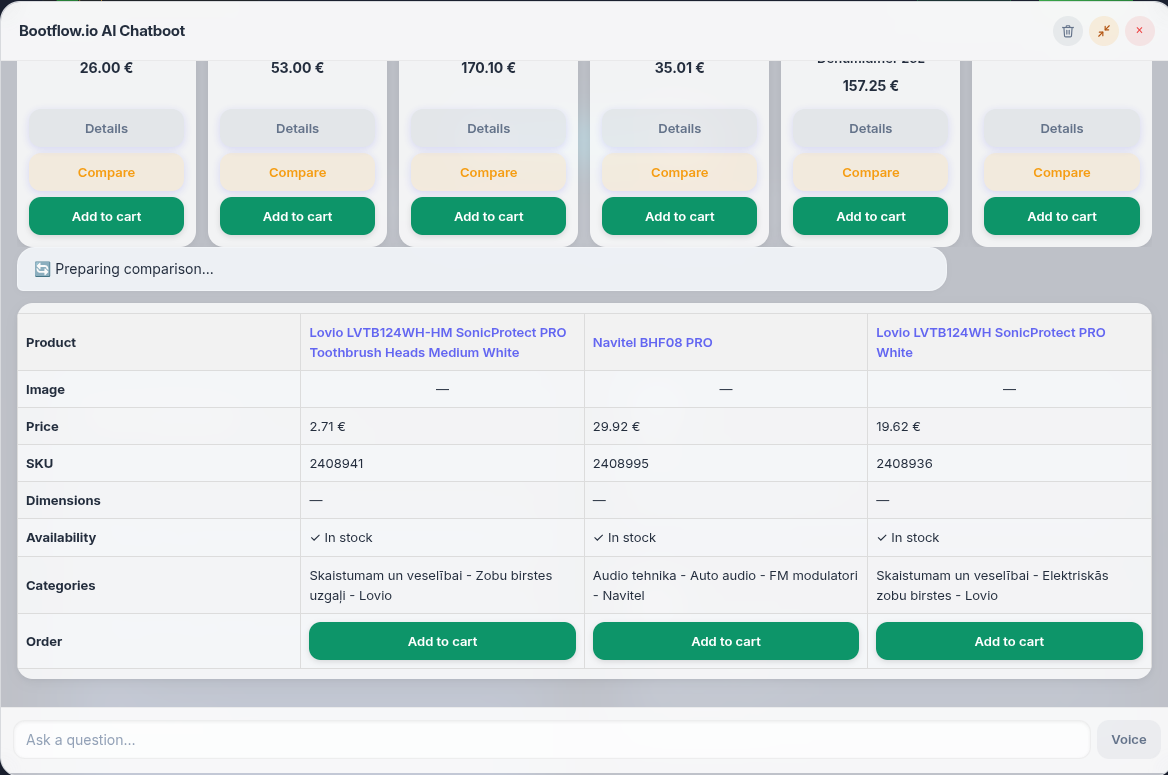
Product Comparison (2โ€“3 items)โœ“โœ“
Support FAQ (Zero server load)โœ“โœ“
Direct “Add to Cart” Buttonsโœ“โœ“
Multi-Language UI (LV, EN, DE, RU, LT, ET)โœ“โœ“
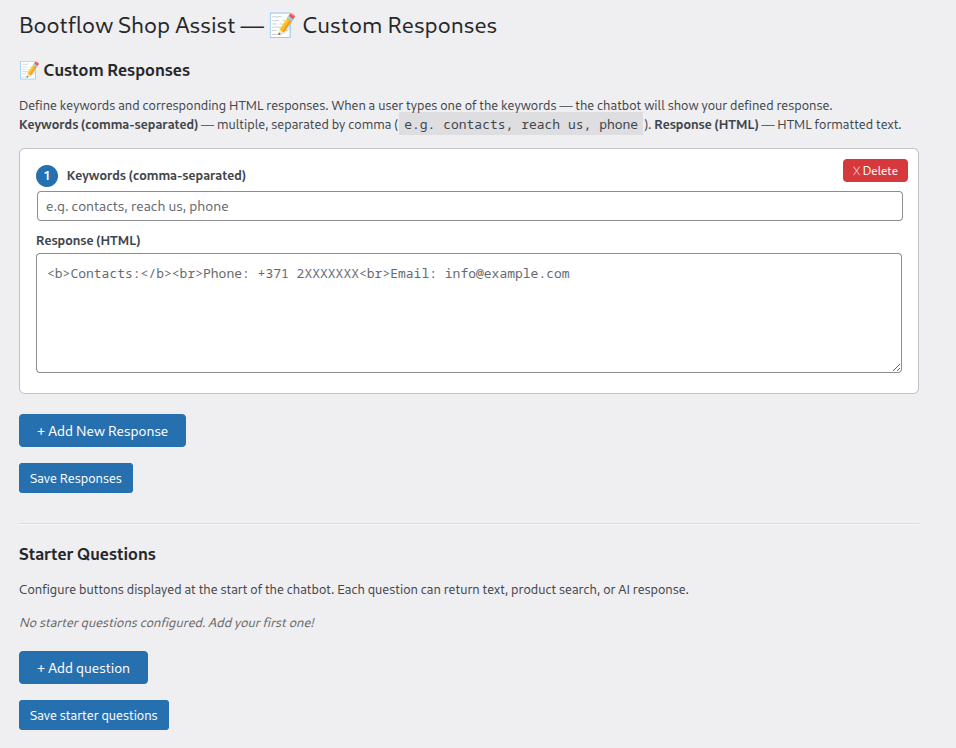
Custom Keyword Responses (HTML)โœ“โœ“
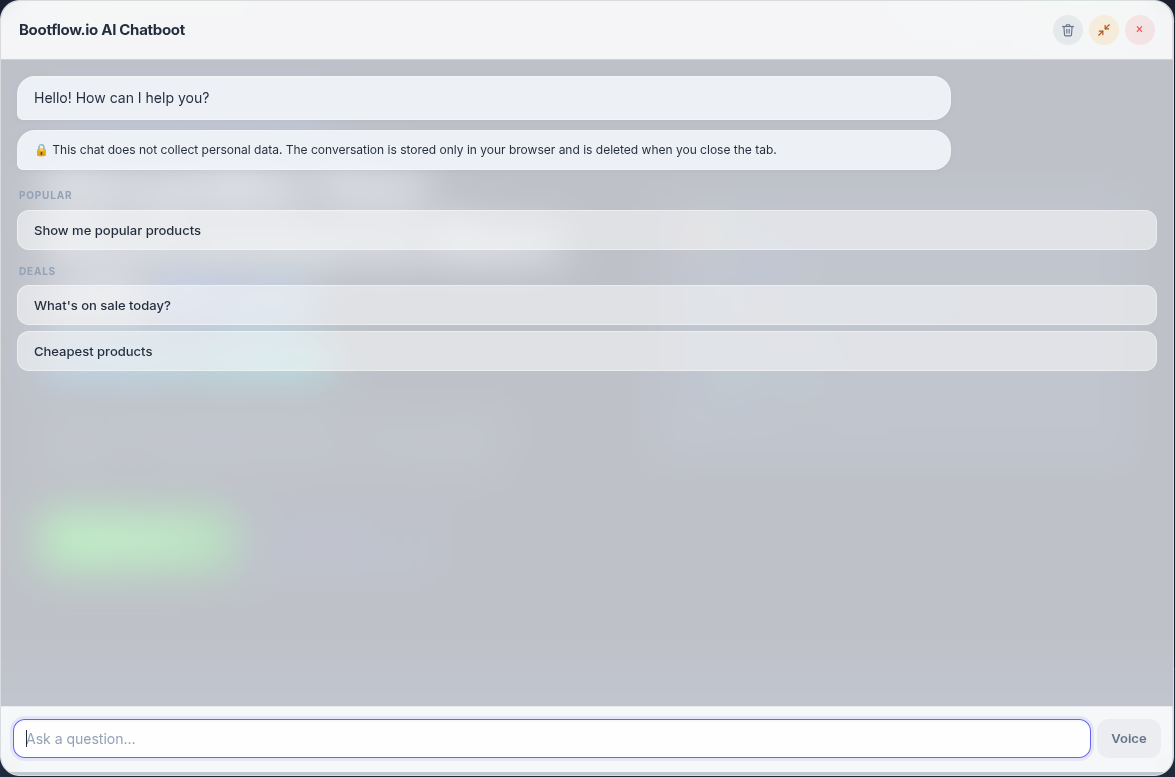
Configurable Starter Questionsโœ“โœ“
Google Speech-to-Text Voice Input (Chrome Browser only)โœ“โœ“
Google Speech-to-Text Voice Input (All Browsers (Safari, FireFox, Egde etc))โœ•โœ“
Smart Context & Gift Finder (NLP)โœ•โœ“
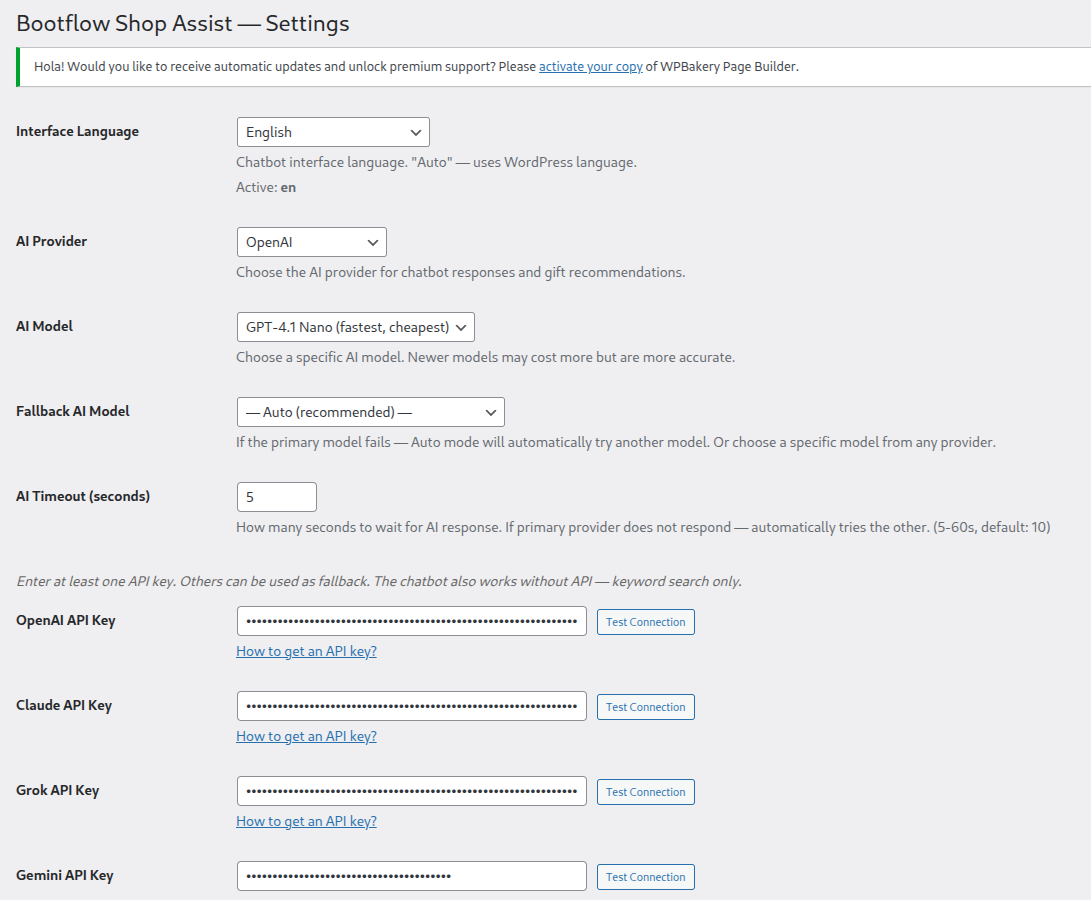
Multi-Provider AI (GPT-4o, Claude, Gemini, Grok)โœ•โœ“
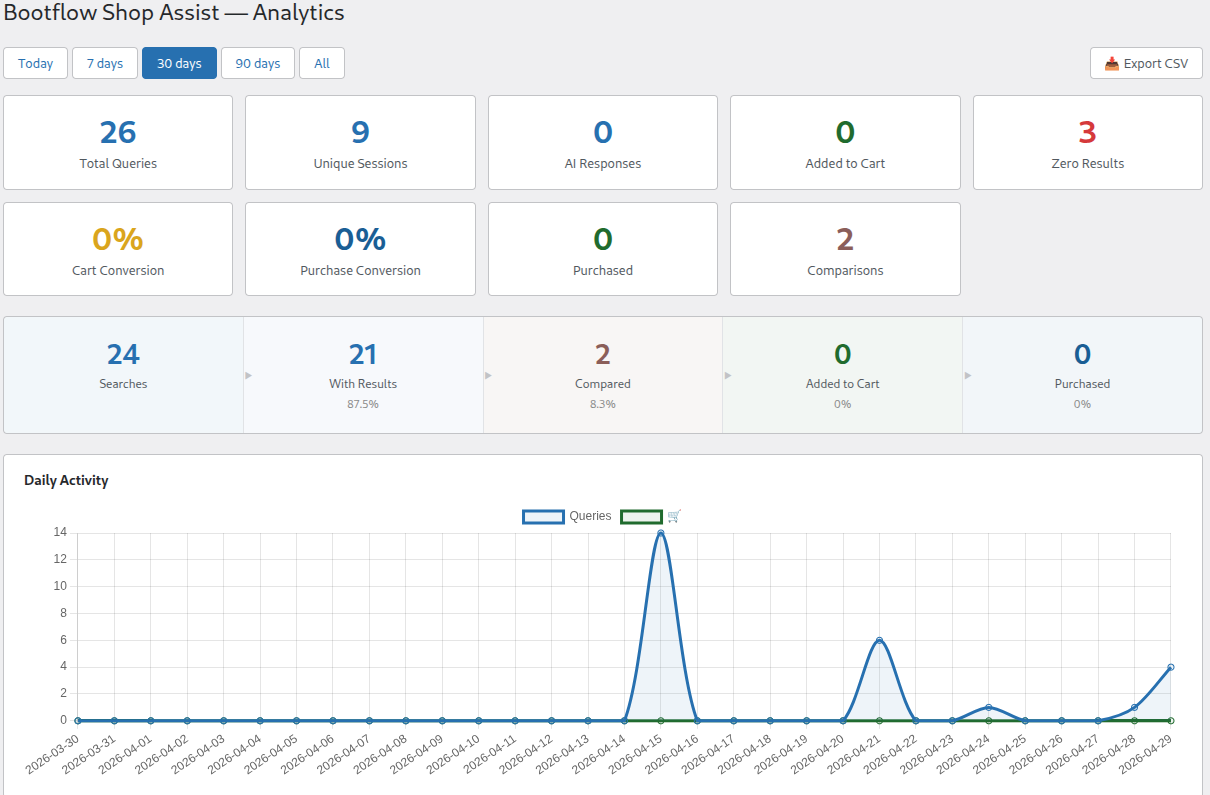
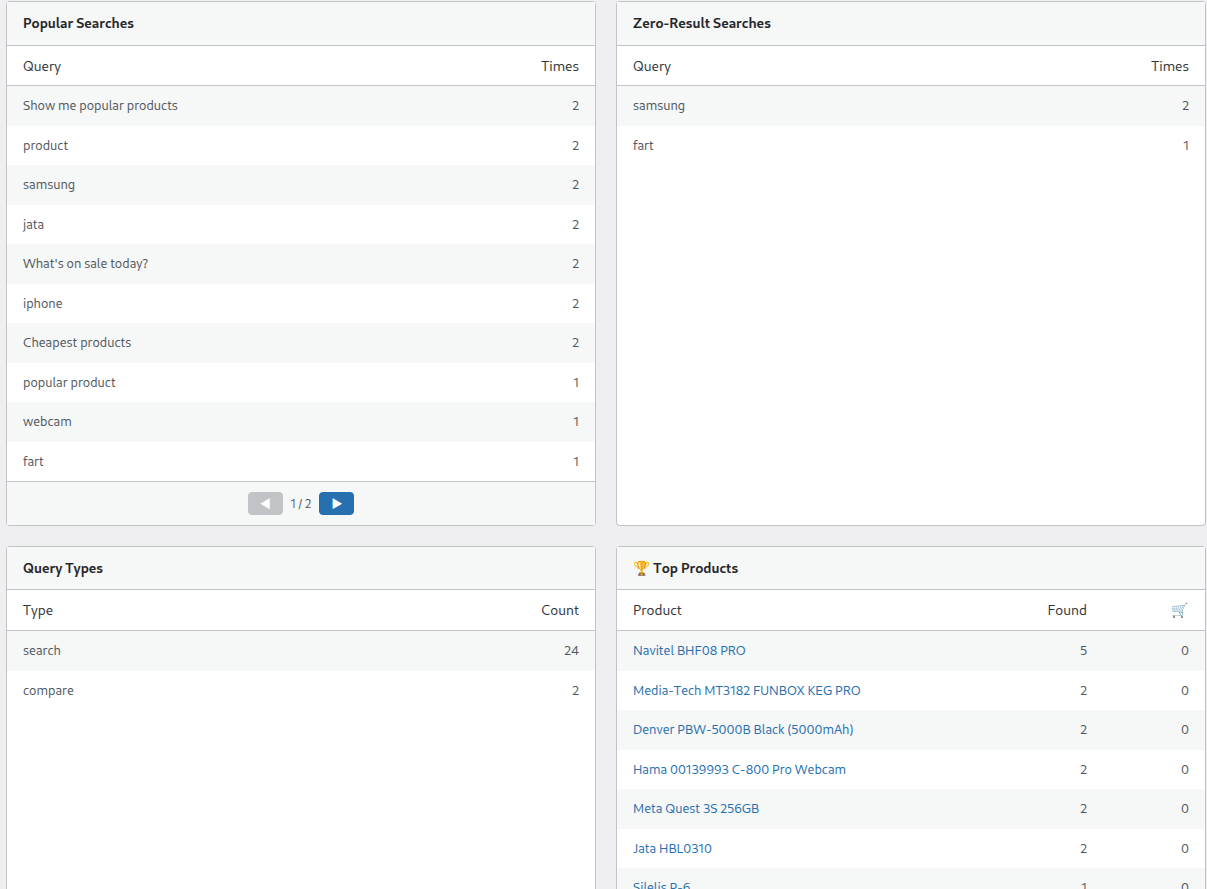
Deep Analytics & Product Insightsโœ•โœ“
6
Languages Built-in
LV, EN, DE, RU, LT, ET
AI
Powered by OpenAI
GPT-3.5 / GPT-4
WC 4.0+
WooCommerce Compatible
WordPress 5.0+
๐ŸŽค
Voice Input Support
Browser + Google STT
๐Ÿ’ฌ Try It Now

Want to see it in action?

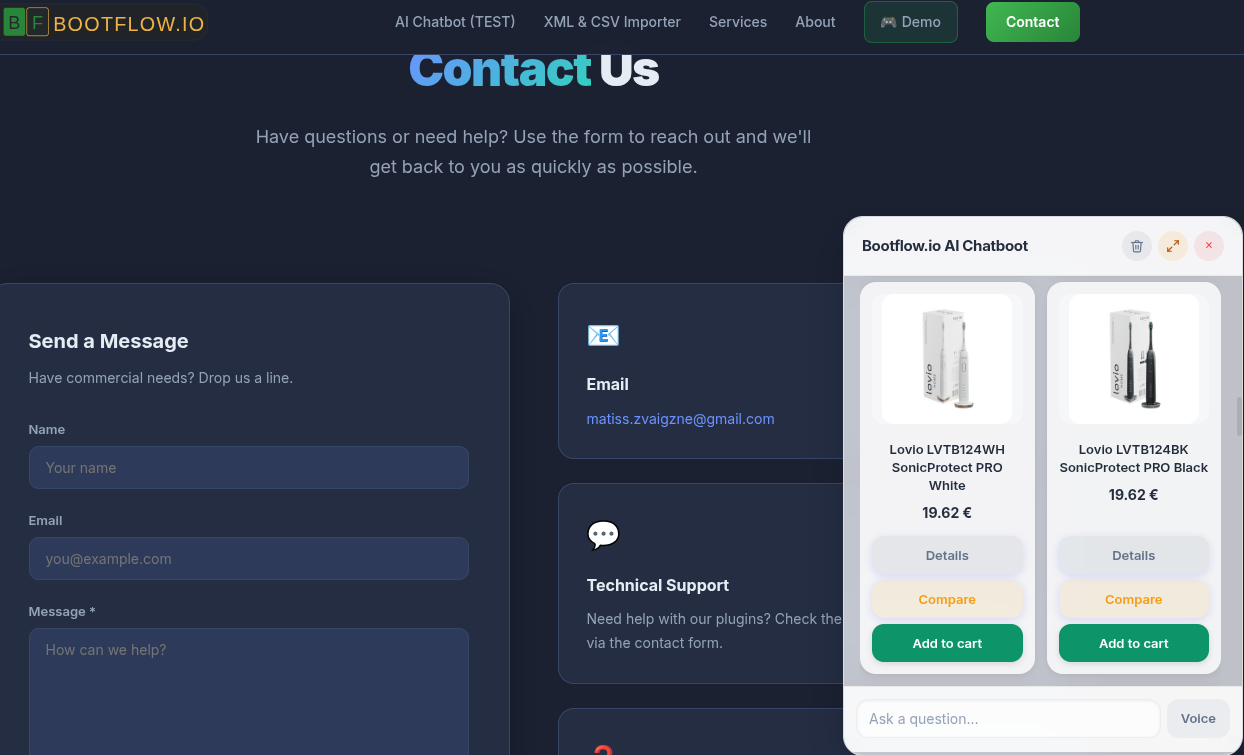
Give our AI chatbot a try by clicking the chat icon in the bottom right corner of this page.

Click the chat icon

Everything Your Store Needs

A complete AI-powered assistant that helps your customers find products, compare options, and get answers instantly.

๐Ÿ”

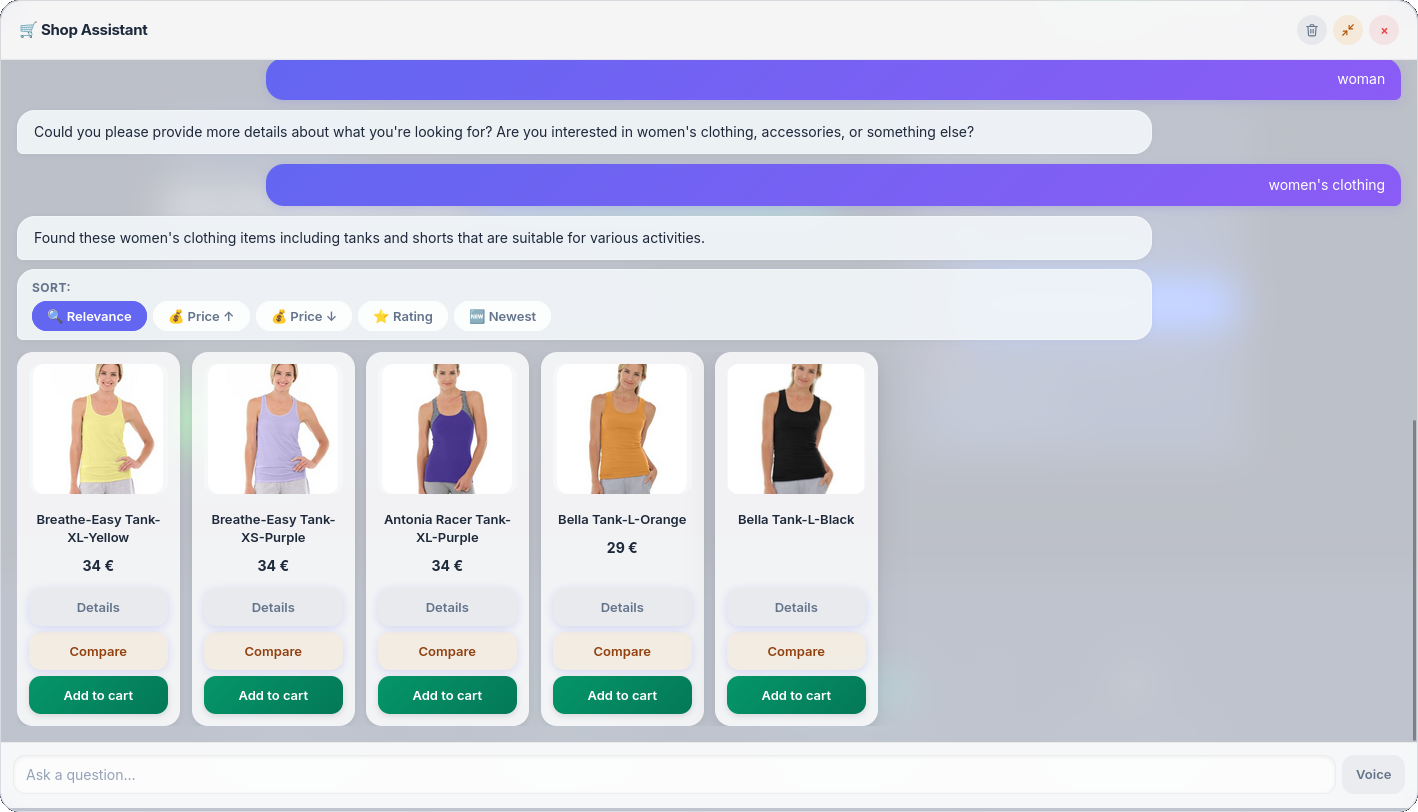
Smart Product Search

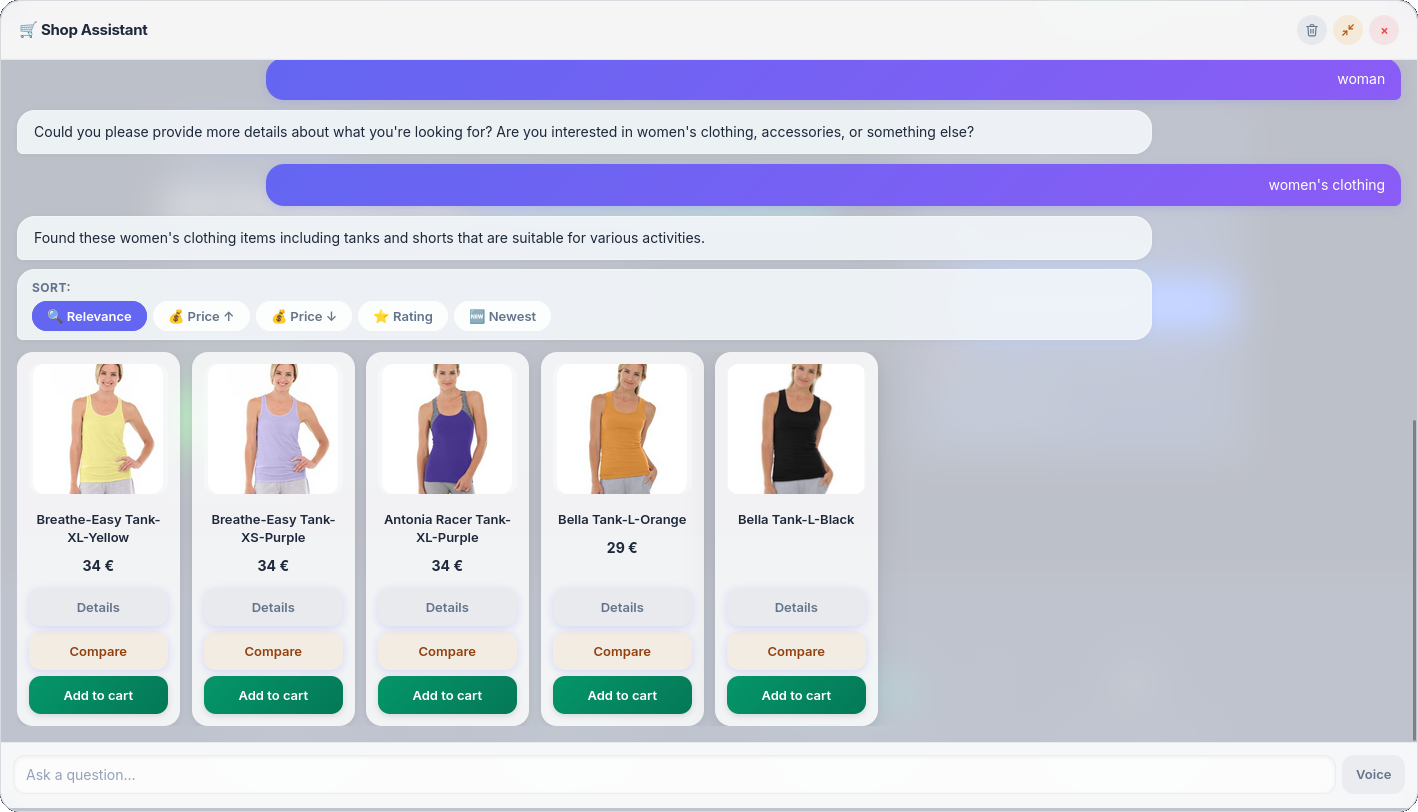
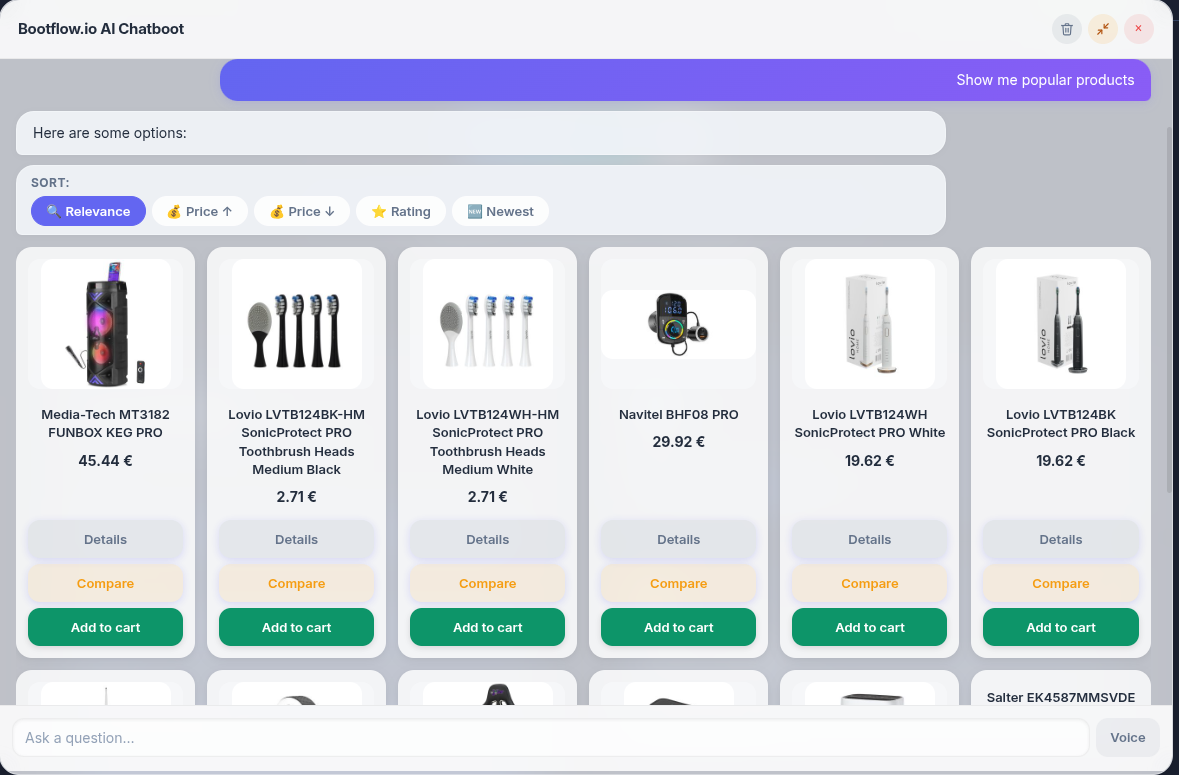
Lightning-fast search powered by a local JSON index. Scores results by title, category, tags, and attributes โ€” no external API needed for search.

๐ŸŽ

Gift Recommendations

Customers type “gift for mom under โ‚ฌ50” and the chatbot understands intent, budget, gender, and age โ€” then recommends matching products automatically.

โš–๏ธ

Product Comparison

Compare 2โ€“3 products side-by-side in a clean table. Price, attributes, stock status โ€” everything at a glance, right inside the chat.

๐ŸŽค

Voice Input

Customers can speak instead of type. Supports browser-native speech recognition and Google Cloud Speech-to-Text as fallback.

๐Ÿšš

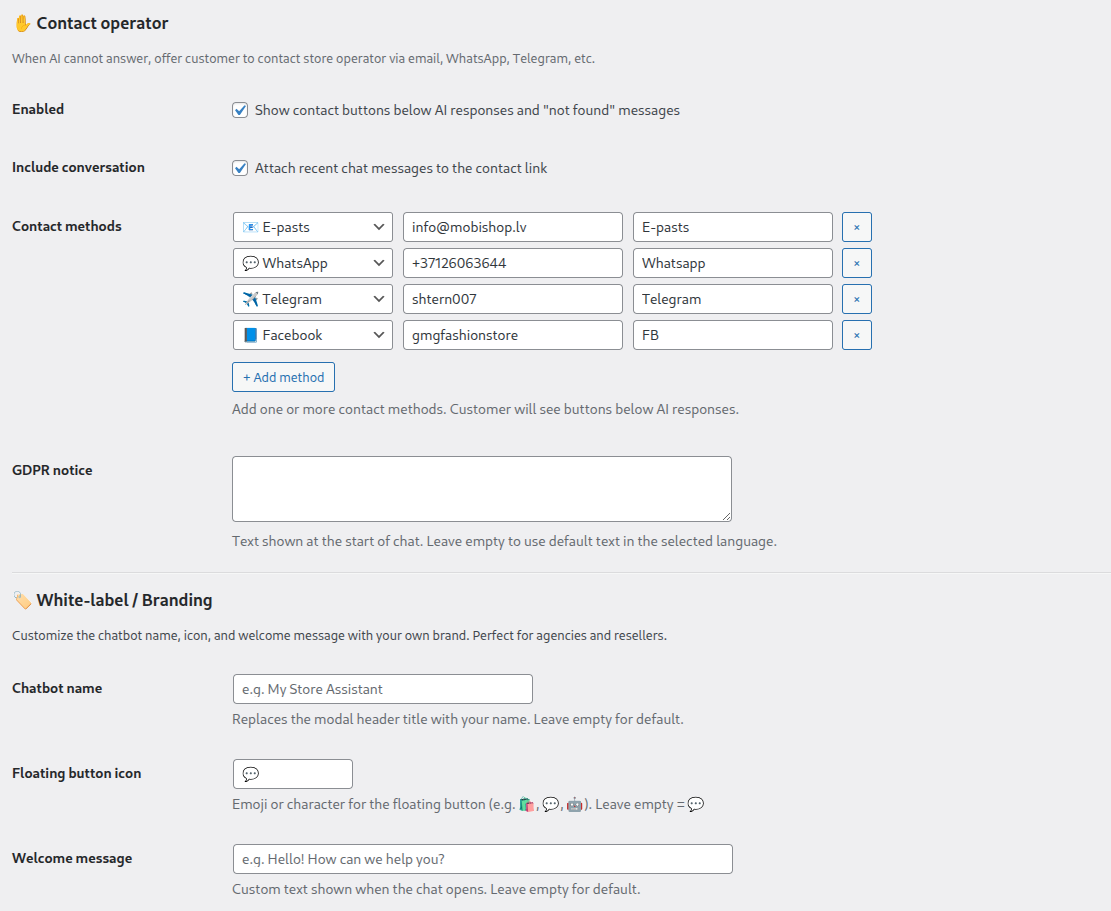
Delivery & Contact FAQ

Automatically answers delivery questions (shipping times, costs, tracking) and contact info based on your JSON configuration.

๐ŸŒ

6 Languages

Full UI translation for Latvian, English, German, Russian, Lithuanian, and Estonian. Adapts to each customer’s language automatically.

๐Ÿค–

AI-Powered Responses

When local search doesn’t find results, the chatbot uses OpenAI GPT to understand the query and recommend relevant products from your catalog.

๐Ÿ“ฑ

Fully Responsive

Works perfectly on desktop, tablet, and mobile. Floating chat button with smooth modal window. Session persists across page navigation.

โšก

Auto-Sync Products

Product data is automatically synced to a local JSON index whenever you save, update, or delete products. No manual export needed.

Get your AI chatbot running in minutes

No coding required.

๐Ÿ“ฆ

Step 1: Install

Upload the plugin .zip via WordPress Plugins โ†’ Add New โ†’ Upload. Activate.

๐Ÿ”‘

Step 2: Add API Keys

Enter your OpenAI API key in Settings. Optionally add Google Speech-to-Text key for voice.

๐Ÿ”„

Step 3: Sync Products

Click “Export Products to JSON” once. After that, products sync automatically.

๐Ÿ’ฌ

Step 4: Done!

The floating chat button appears on every page. Customers can search, compare, and ask โ€” instantly.


WordPress WooCommerce AI Chatboot PRO Screenshots


Provider Model Type Input $/1M Output $/1M Price / query 100 queries 1,000 queries 10,000 queries Note
OpenAIgpt-4o-minicheap, fast 0.150.60$0.0003$0.03$0.30$3.00 public OpenAI API price
OpenAIgpt-4obalanced 5.0015.00$0.0088$0.88$8.75$87.50 public OpenAI API price
OpenAIgpt-4-turbopowerful 10.0030.00$0.0175$1.75$17.50$175.00 public OpenAI API price
OpenAIgpt-3.5-turbolegacy 0.501.50$0.0009$0.09$0.88$8.75 public OpenAI API price
Claudeclaude-haiku-4-5-20251001cheap, fast 0.805.80$0.0023$0.23$2.25$22.50 approximate family mapping
Claudeclaude-sonnet-4-6balanced 3.0015.00$0.0068$0.68$6.75$67.50 approximate family mapping
Claudeclaude-sonnet-4-5-20250929balanced 3.0015.00$0.0068$0.68$6.75$67.50 approximate family mapping
Claudeclaude-opus-4-8powerful 15.0075.00$0.0338$3.38$33.75$337.50 approximate family mapping
Claudeclaude-opus-4-7powerful 15.0075.00$0.0338$3.38$33.75$337.50 approximate family mapping
xAIgrok-3-minicheap, fast 2.006.00$0.0035$0.35$3.50$35.00 benchmarked from grok-4.5 pricing
xAIgrok-2powerful 2.006.00$0.0035$0.35$3.50$35.00 benchmarked from grok-4.5 pricing
xAIgrok-betaexperimental 2.006.00$0.0035$0.35$3.50$35.00 benchmarked from grok-4.5 pricing
Geminigemini-2.5-flashfast, stable 0.302.50$0.0009$0.09$0.93$9.25 public Gemini API price
Geminigemini-2.0-flashcheaper 0.100.40$0.0002$0.02$0.20$2.00 deprecated model
Geminigemini-2.5-propowerful 1.2510.00$0.0038$0.38$3.75$37.50 <=200k prompt tier
Geminigemini-3.5-flashnewest 1.509.00$0.0038$0.38$3.75$37.50 public Gemini API price

Assumption: 1 query = 1,000 input tokens + 250 output tokens, excluding cache and tool/search costs. Formula: Price per query = (Input price ร— 1,000 / 1,000,000) + (Output price ร— 250 / 1,000,000).

Frequently Asked Questions

Does the chatbot work without an OpenAI API key?โ–พ
Yes! Product search, comparison, delivery FAQ, and voice input all work without an API key. The AI-powered recommendations and gift finder require an OpenAI key.
What WooCommerce version is required?โ–พ
WooCommerce 4.0+ and WordPress 5.0+ are required. The plugin is tested with the latest versions.
Does voice input work on mobile?โ–พ
Yes! Browser-native speech recognition works on Chrome, Edge, and Safari on mobile. Google Cloud STT is available as a fallback for other browsers.
How are products indexed for search?โ–พ
Products are exported to a local JSON file. This index is automatically updated whenever you save, update, or delete a product in WooCommerce.
Can I customize the delivery FAQ answers?โ–พ
Yes โ€” delivery and contact information is configured via a simple JSON file that you can edit to match your store’s policies.
How many products can it handle?โ–พ
The JSON index approach handles thousands of products efficiently. Search is performed client-side, so there’s no server load during queries.
Is customer data sent to external servers?โ–พ
No โ€” unless you enable AI features. When AI is used, only the search query is sent to OpenAI. No personal customer data is transmitted.
Can customers add products to cart from the chatbot?โ–พ
Yes! Each product result includes an “Add to Cart” button that works directly from the chat interface.

Give Your Store a
Smart Assistant

Help customers find products faster, get gift ideas, compare options, and ask questions โ€” all without leaving your site.

Free plugin on GitHub PRO Plugin